

Supports multiple files · Converts to IPYNB (Max 20MB each)
A Python script and a Jupyter Notebook hold the same code in very different formats. Converting Python to IPYNB lets you bring a plain .py file back into an interactive notebook where you can run cells, add markdown and visualize outputs. This guide covers 5 methods from command line tools to a free online converter so you can pick the one that fits your setup.
Why Convert Python to IPYNB
Python scripts are great for production and automation but they lack the cell-by-cell execution and rich output that Jupyter Notebooks provide. Converting .py to IPYNB is useful when you want to add markdown documentation to an existing script, share analysis with non-technical colleagues, run experiments step by step inside JupyterLab or present code with embedded outputs and charts.
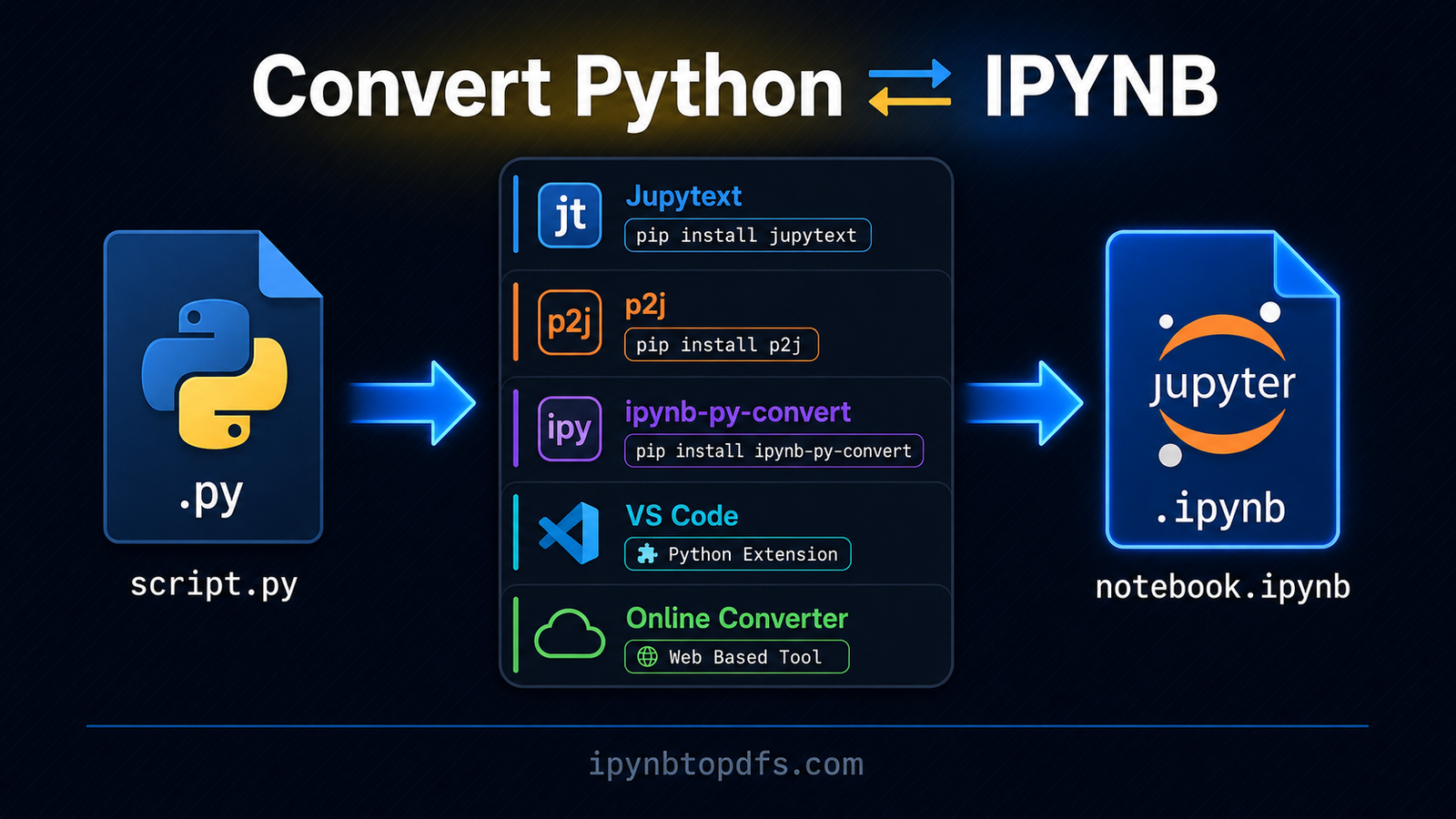
5 Ways to Convert Python to IPYNB
Each method below produces a valid .ipynb file from your .py script. Pick the one that matches your environment.
1. Convert Python to IPYNB Using Jupytext
Jupytext is the most popular and actively maintained tool for converting Python to IPYNB. Install it with pip then run a single command to convert your script.
- pip install jupytext
- jupytext –to notebook script.py
Jupytext keeps scripts and notebooks synchronized if you pair them. This means editing the .py file automatically updates the notebook and vice versa. It is the recommended approach by the Jupyter team and works on Windows, Mac and Linux.
2. Convert Python to IPYNB Using p2j
p2j is a lightweight package that converts .py files to .ipynb with minimal setup. It turns comment blocks into markdown cells and code blocks into code cells.
- pip install p2j
- p2j script.py
The output is a clean .ipynb file ready to open in JupyterLab. p2j works best when your Python script has clear comment sections that map naturally to notebook cells.
3. Convert Python to IPYNB Using ipynb-py-convert
ipynb-py-convert handles bidirectional conversion between .py and .ipynb files. Install it and run the convert command with your input and output file names.
- pip install ipynb-py-convert
- ipynb-py-convert script.py script.ipynb
This tool is useful when you need to convert in both directions regularly. It preserves cell boundaries using comment markers in the Python file.
4. Convert Python to IPYNB in VS Code
VS Code with the Jupyter extension supports py to IPYNB conversion directly from the editor. Open your .py file in VS Code, press Ctrl Shift P to open the command palette and search for “Export to Jupyter Notebook”. VS Code generates the .ipynb file in the same folder. This method requires no terminal commands and works well for developers already using VS Code daily.
5. Convert .py to IPYNB Online
If you do not want to install any package, an online converter is the fastest option. Visit ipynbtopdfs.com, upload your .py file and download a clean .ipynb file in seconds. No pip install, no terminal and no configuration of any kind. This works on Windows, Mac, Linux and any mobile browser without setup.
Python to IPYNB Method Comparison
Which Method Should You Use
Method | Install Needed | Command Line | Best For |
Jupytext | Yes | Yes | Synced scripts and notebooks |
p2j | Yes | Yes | Quick one-time conversion |
ipynb-py-convert | Yes | Yes | Bidirectional conversion |
VS Code | Extension only | No | Developers in VS Code |
Online converter | No | No | Zero install conversion |
Use Jupytext if you work with both .py files and notebooks regularly and want them kept in sync. Use p2j for a fast one-time conversion with clean markdown cells from your comments. Use ipynb-py-convert when you need to go back and forth between both formats. Use VS Code if you already code in VS Code and want a button-click solution. Use the free online converter if you are on a shared machine or any device where installing packages is not possible.
Convert Python to IPYNB in Seconds
To convert Python to IPYNB without installing anything, visit ipynbtopdfs.com and upload your .py file. The tool processes your script and produces a valid .ipynb file ready to open in JupyterLab, VS Code or Google Colab. No Jupytext, no p2j and no terminal required. Your converted notebook downloads in seconds on any device.
Conclusion
Converting Python to IPYNB is straightforward once you know the right tool. Jupytext is the most powerful option for regular workflow use. p2j and ipynb-py-convert handle quick conversions from the terminal. VS Code removes the need for any command line. The free online converter at ipynbtopdfs.com is the fastest zero-install option for anyone who needs a converted notebook right now.
FAQs - Convert Python to IPYNB
How do I convert a Python script to IPYNB?
Use Jupytext by running pip install jupytext then jupytext –to notebook script.py. Or upload your file to ipynbtopdfs.com for an instant no-install conversion.
Can I convert .py to IPYNB without installing anything?
Yes. Visit ipynbtopdfs.com, upload your .py file and download the .ipynb file in seconds with no setup required.
What is the best tool to convert Python to IPYNB?
Jupytext is the most recommended tool as it supports syncing between .py and .ipynb files and is actively maintained by the Jupyter community.
How does Jupytext convert Python to IPYNB?
Jupytext reads your .py file, treats comment blocks as markdown cells and code blocks as code cells then writes a valid .ipynb JSON file.
Can I convert Python to IPYNB in VS Code?
Yes. Install the Jupyter extension, open your .py file, press Ctrl Shift P and search for Export to Jupyter Notebook.
Does p2j preserve comments as markdown cells?
Yes. p2j converts comment lines starting with # into markdown cells and treats the rest as code cells in the output notebook.
Can I convert .py to IPYNB on a Chromebook?
Yes. Use the free online converter at ipynbtopdfs.com. It works in any browser without any local installation.
What is the difference between py to ipynb and ipynb to py?
Py to IPYNB converts a flat Python script into an interactive notebook. IPYNB to Python extracts the code from a notebook into a runnable script. Both are supported by Jupytext and ipynb-py-convert.