
IPYNB to PDF Converter
Convert any Jupyter Notebook to a clean formatted PDF in seconds. This free online ipynb to pdf converter runs entirely in your browser with no LaTeX, no nbconvert and no Jupyter install required. Code cells, markdown, math equations and visual outputs all carry over correctly. Upload your .ipynb file, preview the result and download.
Supports multiple files · Converts to PDF (Max 20MB each)
Related Converters
How to Convert IPYNB to PDF
Finish your ipynb to pdf export in three quick steps. No setup needed.
Upload Your Jupyter Notebook
Drag and drop one or more .ipynb files into the upload area or click to browse. Make sure all notebook cells are executed before uploading so outputs appear correctly.
Set Your PDF Options
Choose your page size, orientation and code display preferences then press Convert. The tool handles code cells, markdown and math equations without any manual input.
Preview, Download or Share
Review the PDF preview before saving to catch any layout issues. Download individual files or grab a single ZIP archive for batch exports.
Pro Tips for Better IPYNB to PDF Results
- Always run all cells in your Jupyter Notebook before uploading the file. Unexecuted cells produce blank empty outputs in the final PDF file.
- On a Chromebook, loaner laptop or corporate machine without TeX installed, this tool is your straight line. No admin rights or terminal access needed.
Save your notebook from VS Code, JupyterLab or Google Colab before uploading. A fresh save captures the latest cell outputs correctly.
Check that your MathJax or KaTeX equations render correctly inside the notebook first. The converter outputs exactly what the notebook displays.
- If your notebook has wide code blocks or large tables, switch to landscape orientation in the PDF settings. Portrait cuts off content on the right side.
- Remove any sensitive outputs or API keys from cells before converting. Your files are deleted after conversion but clean notebooks are always safer to share.
Why Use This IPYNB to PDF Converter
Built for students submitting assignments, researchers sharing findings and teams turning notebooks into client-ready reports. Every conversion keeps your layout intact, your math readable and your files private.
No Install or Setup Required
Skip TeX Live, MiKTeX and nbconvert entirely. This converter runs on our servers so your notebook goes straight from upload to a finished PDF. It works on Windows, macOS, Linux and Chromebook without touching the command line once.
Math and Charts Come Through Cleanly
Equations written with MathJax or KaTeX render as crisp vectors not blurry bitmaps. SVG based chart handling keeps your plots sharp at any page size. What you see in JupyterLab is exactly what appears in the PDF.
Convert Multiple Notebooks at Once
Upload a full batch of .ipynb files and track the progress of each one individually. Failed conversions can be retried without starting over. When everything is ready download each PDF separately or grab the full set as a single ZIP file.
Files Are Deleted After Every Conversion
Each uploaded notebook is processed in an isolated environment and removed from the server as soon as your PDF is ready. Nothing is stored, logged or shared. This makes it safe for coursework, confidential research and internal company reports.
Markdown Reads Like a Document
Headings, lists and callouts all carry over with proper styling. Your narrative sections read like a polished document rather than a raw export. Reviewers who never open Jupyter can follow the full story of your notebook.
Code Cells Look Submission Ready
Syntax highlighting, monospace fonts and cell level spacing are all preserved in the output. Code blocks stay easy to read without needing to open the original .ipynb file. Your work looks professional from the first page to the last.
About the Formats
File extension
.ipynb
Category
Document/Office file formats
Developed by
Project Jupyter
Mime type
application/x-ipynb+json
Format description
IPYNB stands for Interactive Python Notebook, a format developed by the IPython Project around 2011 and later adopted across the broader Project Jupyter ecosystem. Each file is a JSON document that stores code cells, Markdown text and mathematical equations in one place. Visual outputs sit right below the code that produced them. It preserves the full execution history alongside the code, making it the standard format for reproducible research and academic coursework. Opening an IPYNB file requires Jupyter, VS Code or Google Colab.
File extension
Category
Document/Office file formats
Developed by
Adobe
Mime type
application/pdf
Format description
PDF stands for Portable Document Format, a standard file created by Adobe Systems in 1993 using the PostScript language. It displays text, graphics and document structure identically across every device and operating system. A PDF maintains its layout whether viewed on Windows, macOS, Linux or a mobile screen. It supports password protection and opens without any special software installed. That makes it the most reliable format for sharing a Jupyter Notebook with anyone outside your team.
PDF to IPYNB Converter
Not every workflow moves in one direction. If you have a PDF report or academic submission that needs to become an editable Jupyter Notebook for reruns or updates, our PDF to IPYNB converter reverses the process. The output opens directly in JupyterLab, VS Code or Google Colab with your code cells, Markdown and outputs intact.
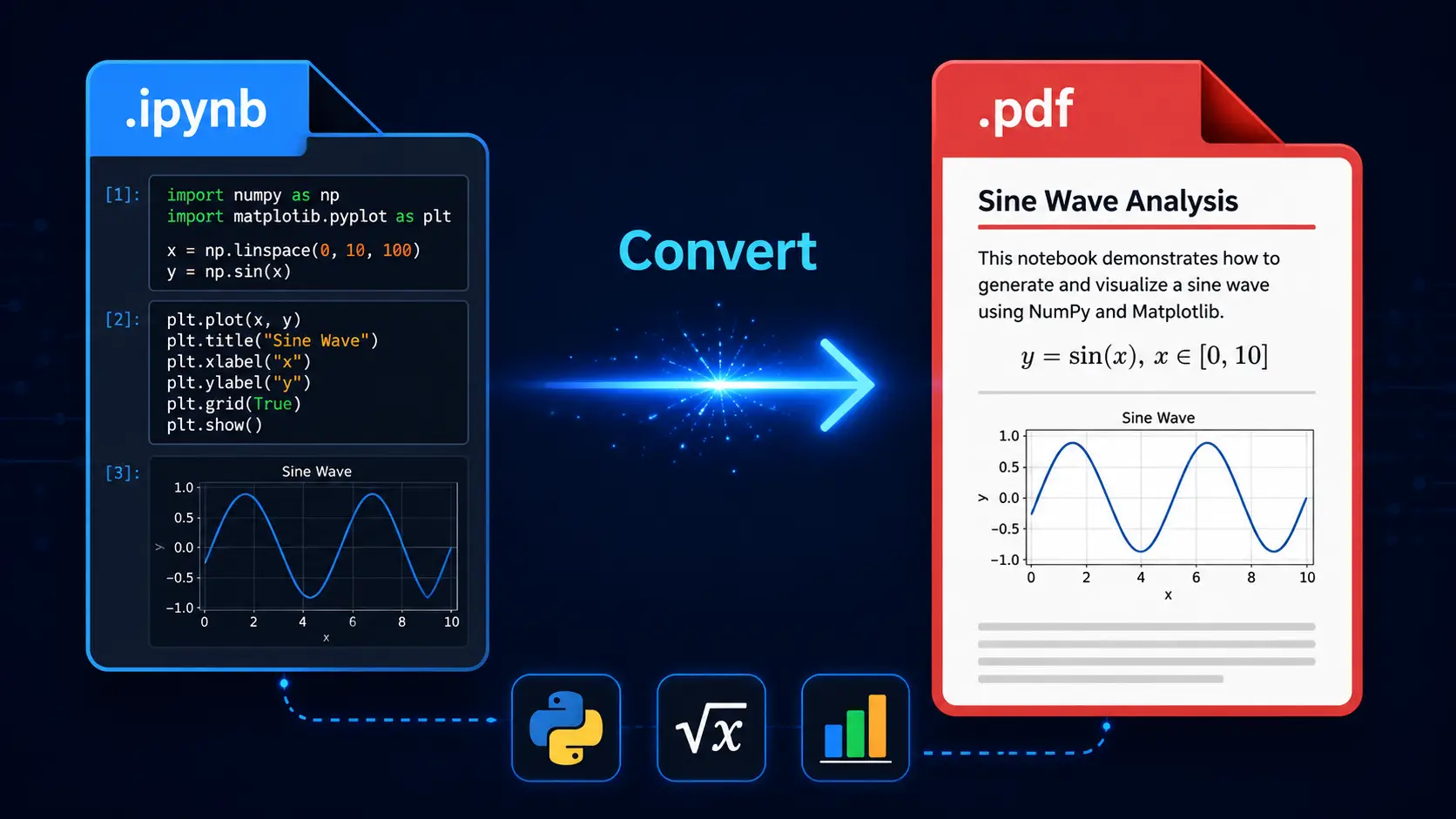
How to Convert IPYNB to PDF in Seconds
To convert IPYNB to PDF, upload your Jupyter Notebook file to this tool. Choose your preferred page size and code display settings then click Convert. The tool processes your code cells, Markdown text and math equations automatically. Chart outputs are included without any extra steps. A clean downloadable PDF is ready in seconds. No LaTeX or Jupyter installation required.
Conclusion
Submitting a university assignment, handing off a client report or archiving a finished project all need one thing. A PDF that looks exactly right. This ipynb to pdf converter gets you there in seconds. No environment setup. No dependency errors. No compromises on how your notebook looks.
FAQs - IPYNB TO PDF
How do I convert IPYNB to PDF online?
To Convert Ipynb to Pdf, Upload your .ipynb file to the converter, adjust any settings you need and click Convert to download your finished PDF.
Do I need LaTeX to convert IPYNB to PDF?
Will my charts, math equations and code appear correctly?
Is my notebook file stored after conversion?
Can I convert multiple notebooks at once?
How do I open an IPYNB file without Jupyter?
Use this converter to turn your IPYNB file into a PDF that opens on any device without needing Jupyter, VS Code or Google Colab installed.
Can I hide code cells and share only the results?
Which browsers and devices does this work on?
The converter works on Chrome, Edge, Firefox and Safari. It runs on Windows, macOS, Linux and mobile devices with no plugins required.
Author
Abdul Rehman is an AI Engineer and published researcher with 6 peer reviewed papers across IEEE, Springer and Wiley journals. He works with Jupyter Notebooks daily across machine learning and computer vision projects at Digitalytics. Abdul has personally tested this tool over multiple different notebook types including data analysis reports, academic papers and client deliverables.