
IPYNB to Python Converter
Convert any Jupyter Notebook into a clean executable Python script in seconds. This free online ipynb to python converter runs without nbconvert, JupyterLab or any local install. Code cells become real Python code. Markdown becomes inline comments. Upload your .ipynb file, preview and download a runnable .py file.
Supports multiple files · Converts to Python (Max 20MB each)
Related Converters
How to Convert IPYNB to Python
Finish your ipynb to python export in three quick steps. No setup needed.
Upload Your Jupyter Notebook
Drag and drop your .ipynb file into the upload area or click to browse. Run all cells first if you want the latest outputs preserved as comments.
Set Your Export Options
Choose whether to include markdown as comments, add VS Code style cell markers or embed outputs then press Convert. The tool extracts every code cell into clean Python.
Preview and Download
Review the generated .py file before saving. Download the finished script ready to run with python yourfile.py, commit to Git or drop into a CI/CD pipeline.
Pro Tips for Better IPYNB to Python Results
- Run all cells in your Jupyter Notebook before uploading. Fresh outputs make the optional output comments more useful for debugging later.
- Enable the # %% cell markers option when converting. VS Code, PyCharm and Jupytext all recognize these markers as cell boundaries so you can jump between sections easily.
Comment out Jupyter magics like %matplotlib inline and shell commands starting with ! before running the script. The converter handles this automatically to keep your .py runnable.
Save your notebook from JupyterLab, VS Code or Google Colab before exporting. A fresh save makes sure the latest code changes are captured in the .py file.
- If you plan to commit the script to GitHub, keep markdown as comments to fully preserve the narrative context for code reviewers.
- Remove any API keys, tokens or credentials from cells before converting. Python scripts are often committed to version control where secrets get exposed.
Why Use This IPYNB to Python Converter
Built for developers moving notebook code into production, data engineers automating pipelines and teams pushing exploratory work into version control. Every conversion produces a clean runnable .py file ready for real world use.
Production Ready Python Output
Every code cell becomes proper Python code with correct indentation and imports. Skip the copy paste from notebook to editor. The output runs directly with python yourfile.py inside any environment.
VS Code and PyCharm Compatible
Enable # %% cell markers and your exported script works as a hybrid file inside VS Code, PyCharm and Spyder. You keep the notebook feel with the flexibility of plain Python.
Perfect for the CI/CD Pipelines
Converted .py files fit naturally into GitHub Actions, GitLab CI or Jenkins workflows. Python Notebook code file becomes automatable, testable and deployable without carrying JSON around.
Files Are Deleted After Every Conversion
Each uploaded notebook is processed in an isolated environment and removed from the server the moment your Python file is ready. Nothing is stored, logged or shared with anyone.
Markdown Stays as Comments
Toggle the include markdown option and your prose cells become # comment blocks above the code. Reviewers still see the narrative without opening the original notebook.
Handles Magics and Shell Commands
IPython magics starting with % and shell commands starting with ! are automatically commented out. Your script stays runnable in a plain Python interpreter without breaking on notebook only syntax.
About the Formats
File extension
.ipynb
Category
Document/Office file formats
Developed by
Mime type
application/x-ipynb+json
Format description
IPYNB stands for Interactive Python Notebook, a format created by the IPython Project around 2011 and later adopted across the broader Project Jupyter ecosystem. Each file is a JSON document holding code cells, Markdown text and mathematical equations in one place. Cell outputs sit right below the code that produced them. The format supports Python, R, Julia and JavaScript through kernels making it the standard for reproducible research and data science workflows.
File extension
.py
Category
Source code file formats
Developed by
Python Software Foundation
Mime type
text/x-python
Format description
PY stands for Python source code, the standard file extension for scripts written in the Python programming language created by Guido van Rossum in 1991. A .py file contains plain text Python code that runs directly through the Python interpreter with the command python yourfile.py. Python scripts work on Windows, macOS and Linux without modification. This makes .py the go to format for automation, production deployment and version controlled collaboration.
Python to IPYNB Converter
Not every workflow moves in one direction. If you have a Python script that needs to become an interactive Jupyter Notebook again for step by step exploration or teaching, our Python to IPYNB converter reverses the process. The output opens directly in JupyterLab, VS Code or Google Colab with your code split into runnable cells.
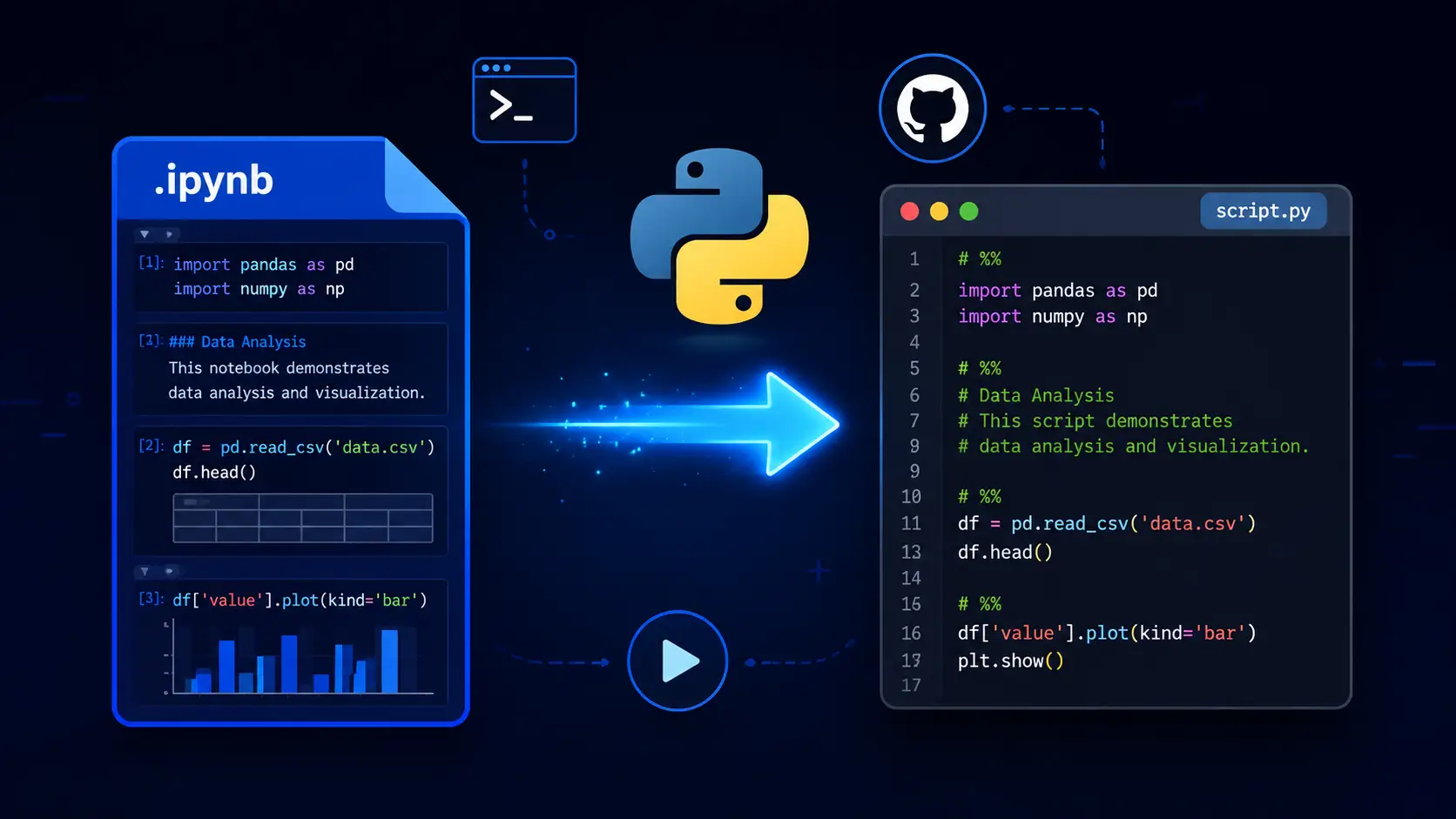
How to Convert IPYNB to Python in Seconds
To convert IPYNB to Python, upload your Jupyter Notebook file to this tool. Choose whether to keep markdown as comments and enable VS Code cell markers then click Convert. The tool extracts every code cell into a clean .py file. Jupyter magics and shell commands are commented out automatically. A runnable Python script is ready in seconds. No nbconvert or Jupyter installation required.
Conclusion
Moving exploratory notebook code into production, committing a data pipeline to GitHub or automating a report through CI/CD all need one thing. A clean Python script that runs anywhere. This ipynb to python converter gets you there in seconds. No environment setup. No dependency errors. Your notebook becomes a real Python file ready for the next step.
FAQs - IPYNB TO PYTHON
How do I convert IPYNB to Python online?
To Convert Ipynb to Python, Upload your .ipynb file to the converter, choose your export options then click Convert to download a runnable .py script.
Do I need nbconvert to convert IPYNB to Python?
No. This tool handles the full conversion on our servers so you skip installing Jupyter, nbconvert or any Python packages just to produce a script.
What are the # %% markers in the exported file?
The # %% lines mark cell boundaries so VS Code, PyCharm and Jupytext can still recognize sections when you edit or run the script.
Will Jupyter magics like %matplotlib work in the .py file?
Magics starting with % and shell commands with ! are commented out automatically. This keeps the script runnable in a plain Python interpreter without breaking.
How do I convert IPYNB to Python in Google Colab?
Colab does not offer a direct .py export. Download your notebook as .ipynb from File then upload it to this converter for an instant Python script.
How do I convert IPYNB to .py in VS Code?
Install the Jupyter extension, open your notebook, click the three dots menu then choose Export as Python Script. Or use this converter for a no-extension one-click alternative.
Is my notebook file stored after conversion?
Which browsers and devices does this work on?
The converter works on Chrome, Edge, Firefox and Safari. It runs on Windows, macOS, Linux and mobile devices with no plugins required.